Agentic HR, delivered inside Teams
An always-on career coach for every employee. Real-time workforce intelligence for every manager. Proactive signals for HR. All delivered inside the tool your organization already lives in.
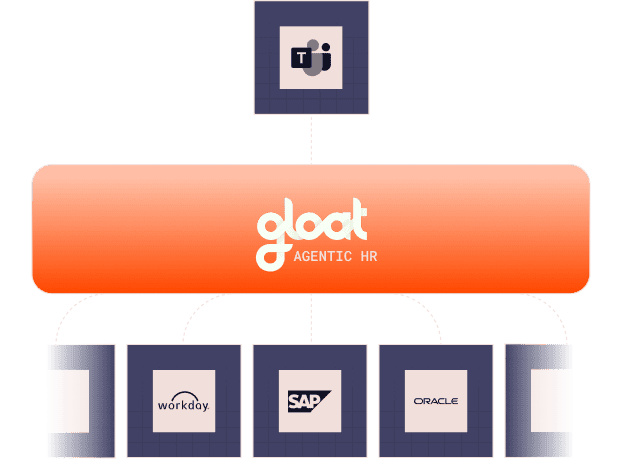
An always-on career coach for every employee. Real-time workforce intelligence for every manager. Proactive signals for HR. All delivered inside the tool your organization already lives in.
Your people don't live in your HCM. They live in Teams. The intelligence should meet them there — proactively, contextually, in the flow of work.
Discovery
Employees search HR portals, read policy docs, submit tickets, wait for answers
Natural conversation surfaces personalized, contextual answers in seconds
Career growth
Annual review conversations. Static career pages. No visibility into internal opportunities
Always-on career coaching. Opportunities surface proactively when they match your trajectory
Manager intelligence
Quarterly talent reviews with stale data. Manual succession spreadsheets
Real-time readiness scores, flight risk alerts, and development recommendations in Teams chat
Action
Multi-step workflows across disconnected systems. Weeks of back-and-forth
Express interest, draft dev plans, create nominations, trigger approvals — one conversation
Chatbots answer FAQs. Gloat agents reason across your entire workforce context — skills, relationships, governance, and opportunity — to deliver intelligence that actually changes outcomes.
Contextual, not generic
Every response is grounded in the employee's actual skills, career history, team context, and your organization's specific opportunities. Not template answers — real intelligence.
Proactive, not reactive
Agents don't wait to be asked. They surface opportunities when roles open, flag retention risks when signals change, and nudge managers when development conversations are overdue.
Action, not just answers
Express interest in a role. Draft a development plan. Create a succession nomination. Trigger an approval workflow. Agents don't just inform — they do the work, governed by your business rules.
Real questions from employees, managers, and HRBPs — asked in Teams chat, answered with full workforce context.
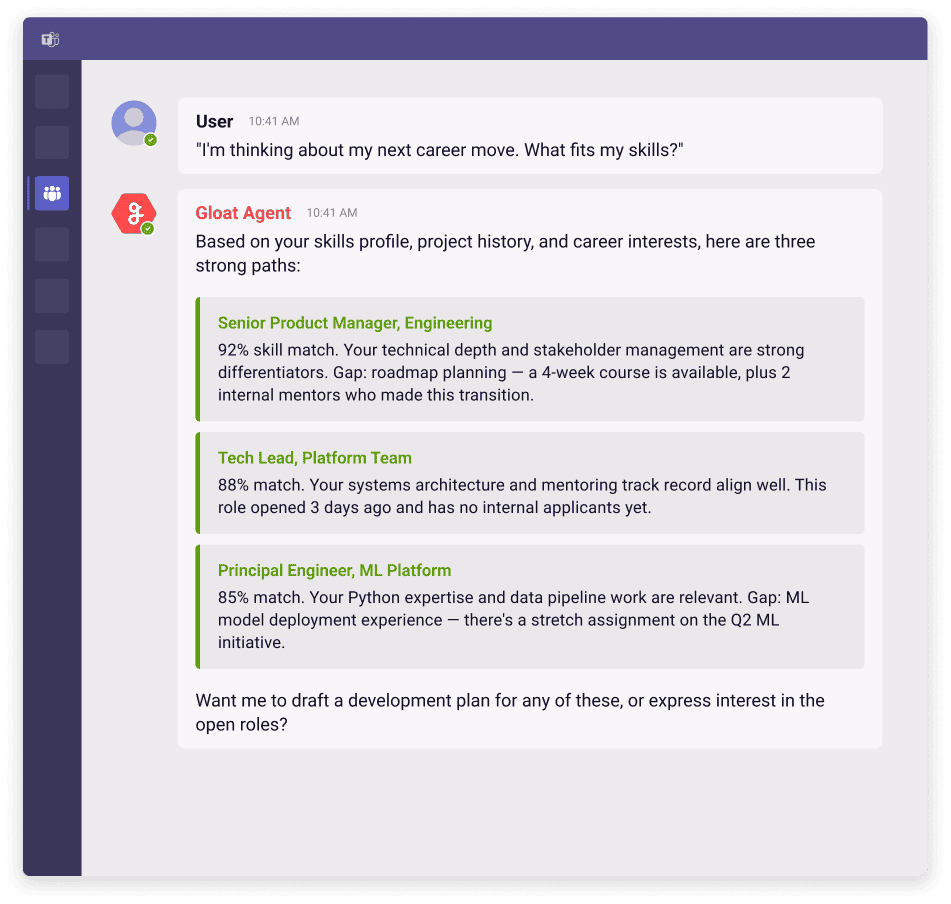
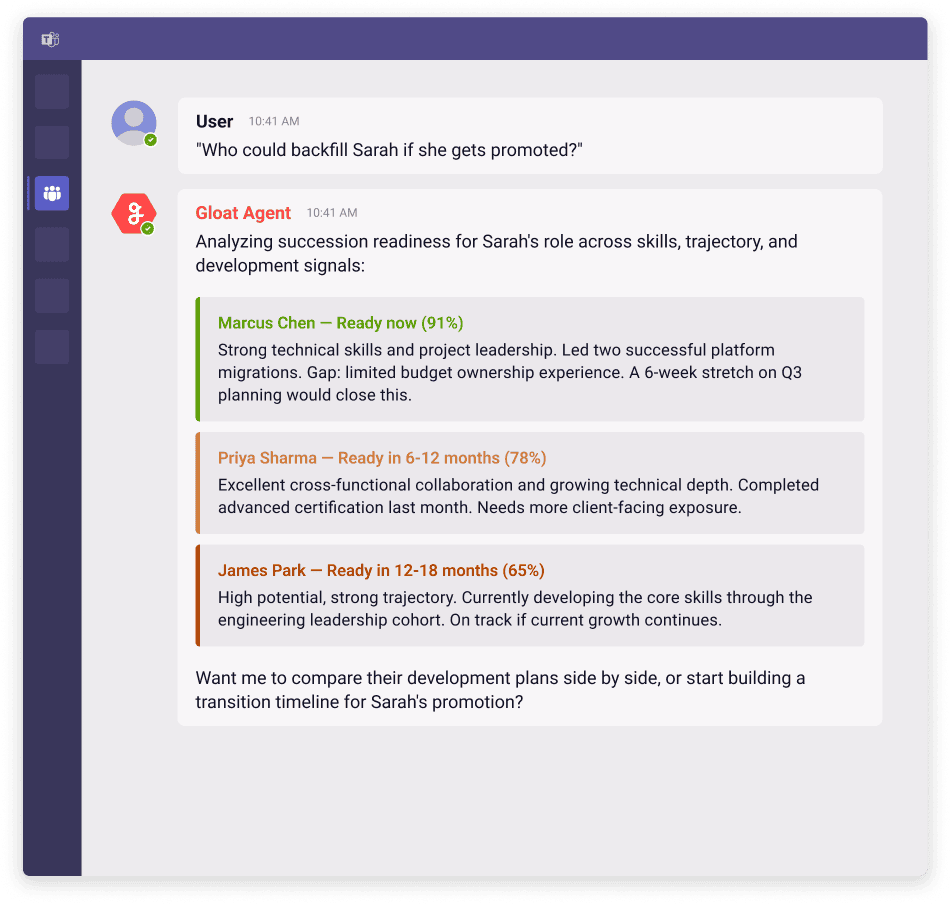
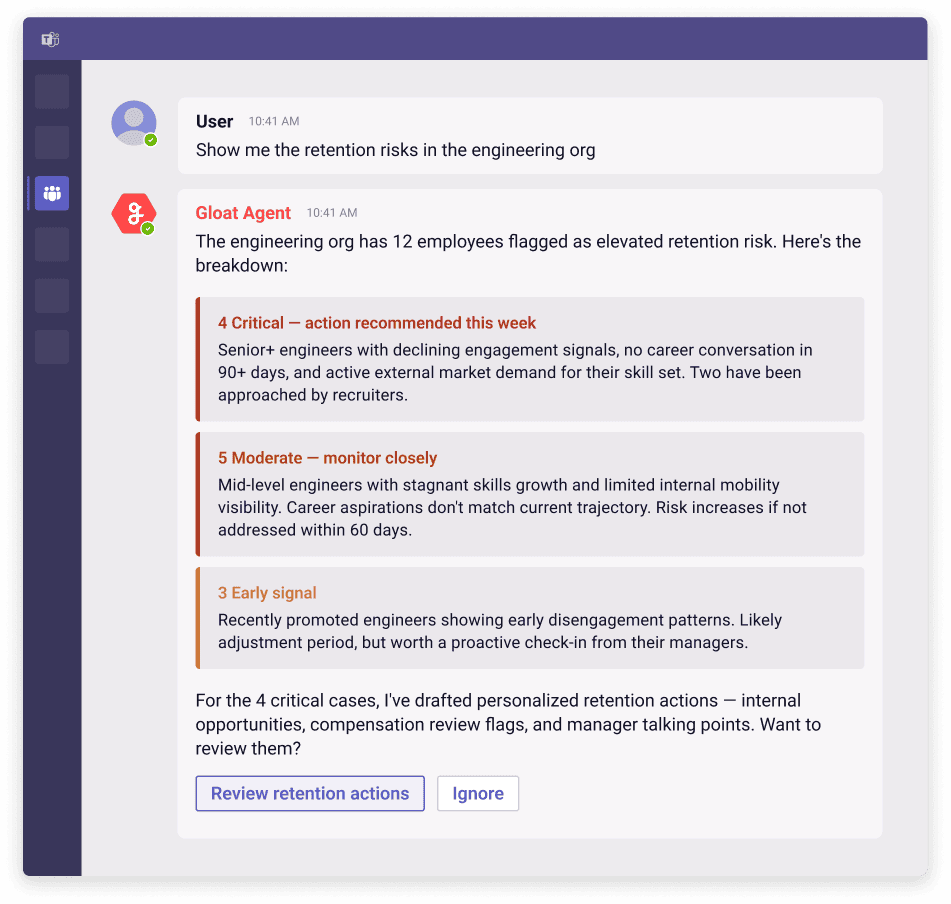
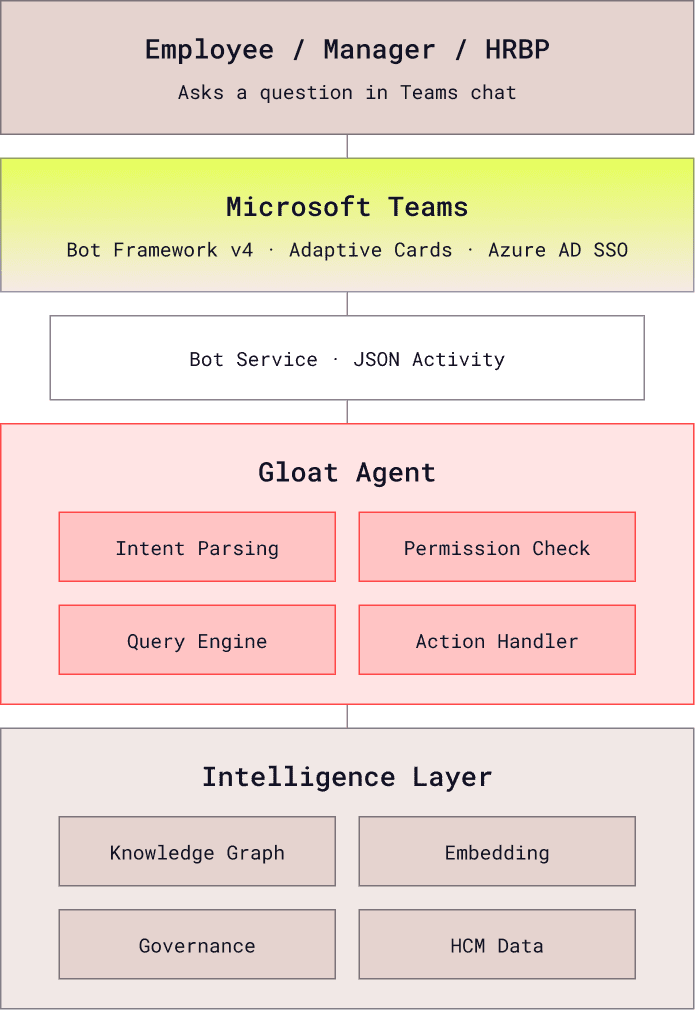
The Gloat agent runs as a native Teams application built on the Bot Framework v4. Users interact through natural language and Adaptive Cards. Behind the scenes, the agent queries Gloat's intelligence layer and respects your organization's governance configuration.
No training sessions. No change management campaigns. Your people already know how to chat in Teams.
Admin enables the app
IT adds the Gloat Teams app through the Microsoft 365 admin center. Configure which user groups get access via Azure AD security groups.
Users start chatting
The app appears in Teams. Users ask questions the way they normally would. No onboarding needed — the agent adapts to how each person communicates.
Intelligence compounds
Employees discover career paths. Managers get succession insights. HRBPs receive proactive retention alerts. Usage grows organically as word spreads.
It's a native Teams application — installed through the Microsoft 365 admin center, runs within the Teams client, and uses Adaptive Cards for rich interactive responses. It's not a simple chatbot. It's a full agentic experience that can take multi-step actions, display structured data, and maintain conversation context across sessions.
The Teams app respects your organization's permission model. Employees see their own skills, career paths, and relevant opportunities. Managers see aggregated team insights — readiness, flight risk signals, development recommendations — for their direct and indirect reports. HRBPs see org-level analytics and can take action across their population. Permissions are inherited from your HCM configuration.
The Teams app is a dedicated experience — a standalone agent you chat with directly in Teams for career exploration, learning recommendations, succession planning, and more. The Copilot skill embeds workforce intelligence into Copilot conversations across all M365 apps. They're complementary: Teams for the full agentic experience, Copilot for quick workforce answers in the flow of any conversation.
Beyond answering questions, the agent can express interest in roles on your behalf, draft development plans, create succession nominations, trigger manager notifications, schedule learning enrollments, and initiate approval workflows — all governed by your organization's business rules and approval chains.
The Teams agent connects to Gloat's intelligence layer, which ingests data from your HCM (SuccessFactors, Workday, Oracle), LMS, ATS, and collaboration tools. When you ask a question, it queries the knowledge graph, embedding models, and governance engine — not raw HCM data. Responses are grounded in your organization's actual workforce context.
If you already have Gloat connected to your HCM, the Teams app can be deployed in days — it's an admin configuration in the Microsoft 365 admin center. If you're new to Gloat, the full setup (HCM integration + intelligence layer + Teams app) is scoped during implementation. The Teams deployment itself is the fastest part.
Get Started
We'll demo the Gloat Copilot skill live — your data, your questions, real answers.